Find the new construction sites near you, before the works begin.
Nexis reads planning certificates, building permits and environmental decisions from the whole country every day. See every new building, the stage it has reached and the firms at the address.
For example: new houses in Cluj-Napoca, halls in Timiș, apartment blocks in București
- Public acts read
- over 1 million
- Construction works
- 850,609
- Localities, in 34 counties
- 1,892
- Last read: 9 November 2026
- Daily
The data comes from the public registers of town halls, county councils and environmental protection agencies.
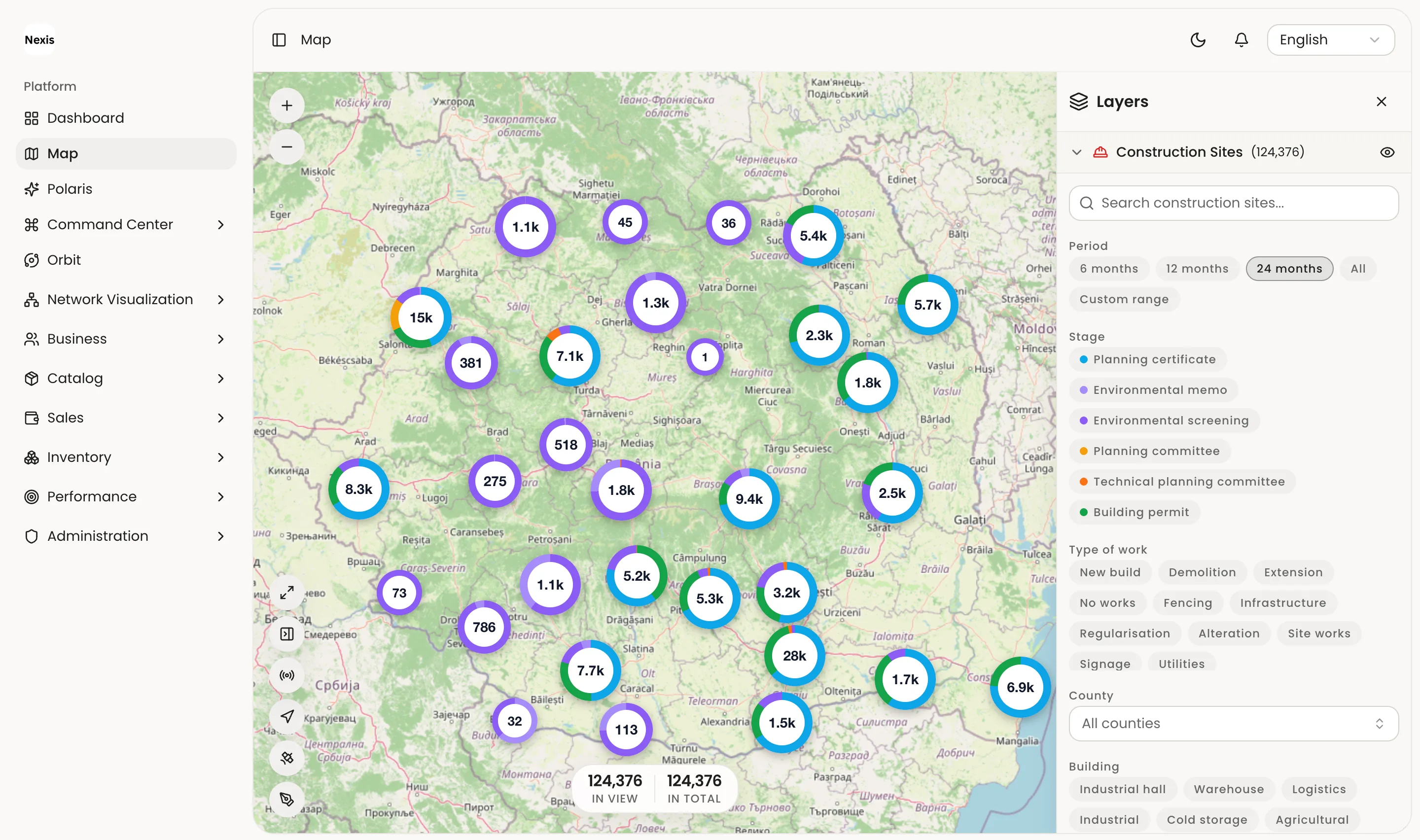
Every point on the map, with all of its works.
One point can gather works from several construction sites. You see them all, with the stage each one has reached and how exact the place is.
- Each work’s stage, from certificate to handover
- What is being built, read from the act
- How sure the place is: the house, the street or only the town
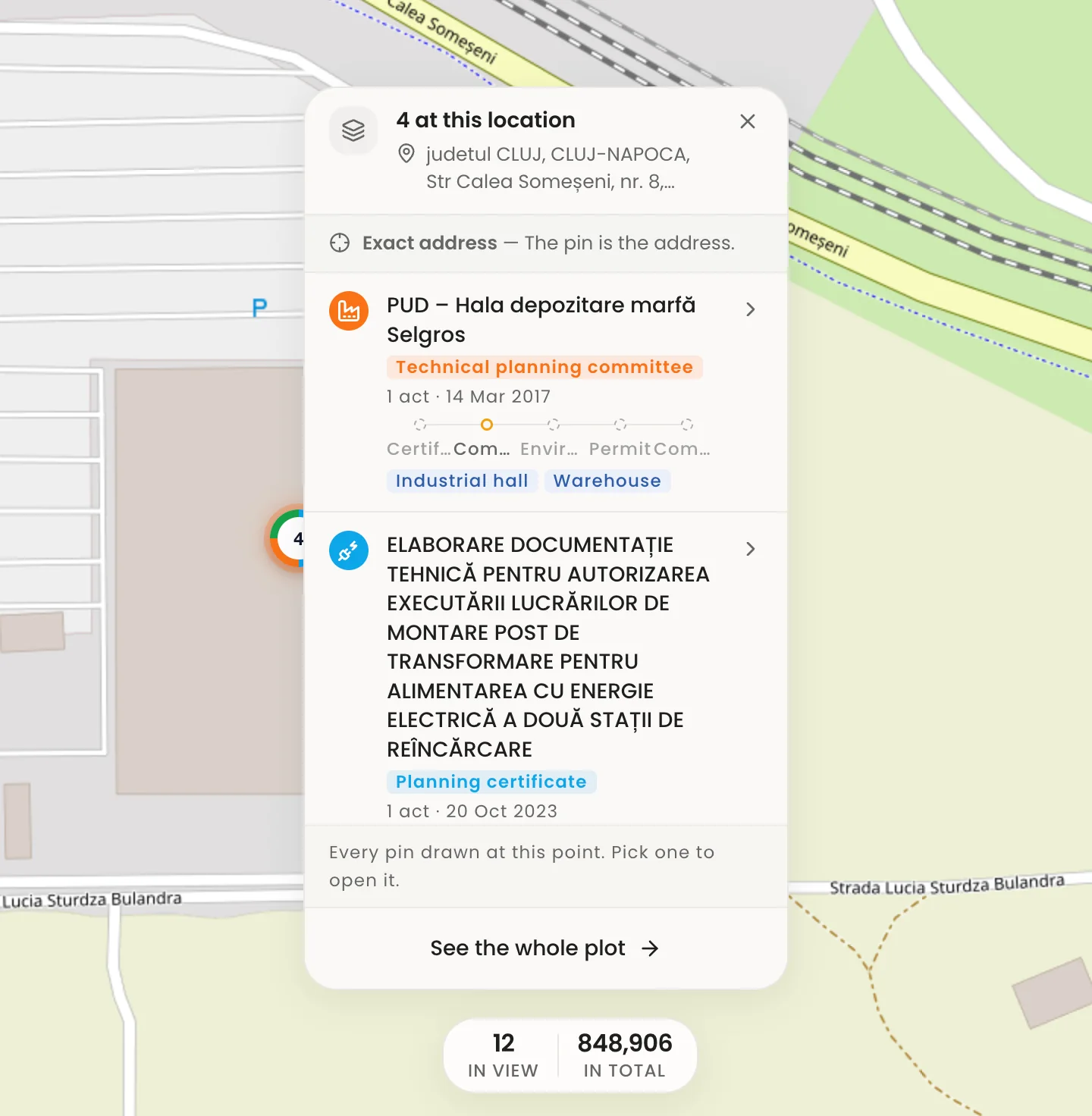
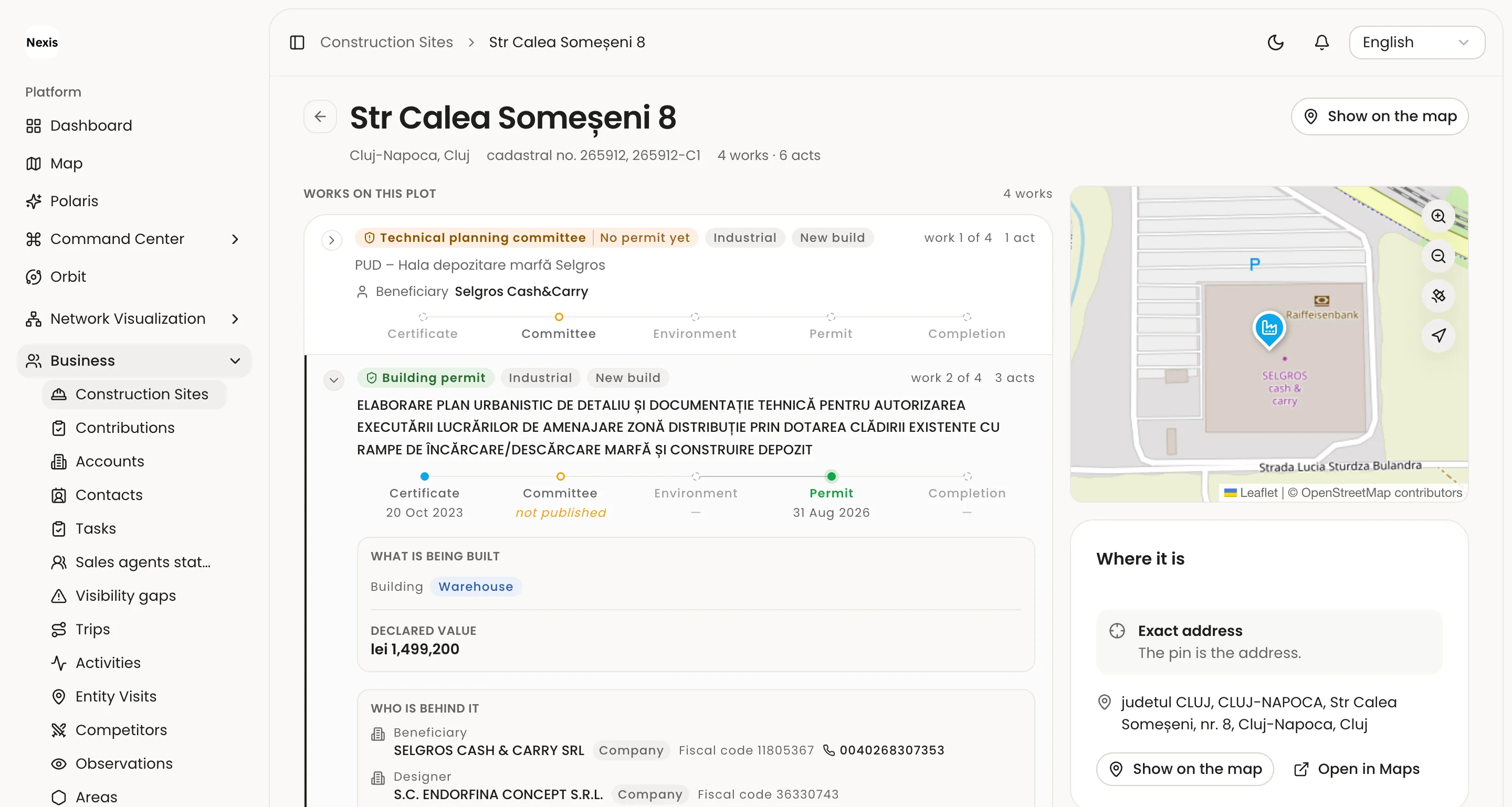
A construction site's full history.
On one plot in Cluj-Napoca, Nexis found 4 works and 6 public acts, from 2017 to 2026. Each act tells you what comes next there.
-
Technical planning committee no. s20170314-11
The project goes before the technical planning commission. Designers and consultants have work.
-
2,411 days later
Planning certificate no. 2437/2023
The owner learns what may be built. Now they look for a designer and a surveyor.
-
138 days later
Building permit no. 513/2026
The works may begin. Now the concrete, the rebar and the masonry are chosen.
-
On the same plot
24 firms at the address
On the site's page in the app you see all of them, with the address, the companies and the value.
See the site's page
And the company behind the project.
Nexis doesn’t stop at the act. From the beneficiary you reach its company: turnover and profit year by year, the board, the group of companies, court cases and its other projects.
- Balance sheets by year
- Board
- Group of companies
- Court cases
- The company’s other projects

Then you sell, from the same app.
Nexis Sales keeps your whole sales team next to the sites: accounts, visits, orders, invoices and stock, on the web and on the phone.
-
Orders at the client
The rep takes the order on the phone, even with no signal. Above the amount you set, or at a changed price, a manager approves it.
-
Invoices and collections
Delivery notes, invoices, payments and instalment plans, with each client’s payment terms and credit limit.
-
Visits and trips
Client visits are recorded on their own, from GPS, and every trip has its car and its purpose.
-
Tasks and activities
Tasks with a due date for every rep and, on every client, the history: calls, meetings, observations from the field.
-
Stock and catalogue
Products, prices per client and the stock in your warehouses and in your reps’ vans.
-
The team at a glance
Who has started the day, the visits and orders of each rep, and how much of their goal each has reached.
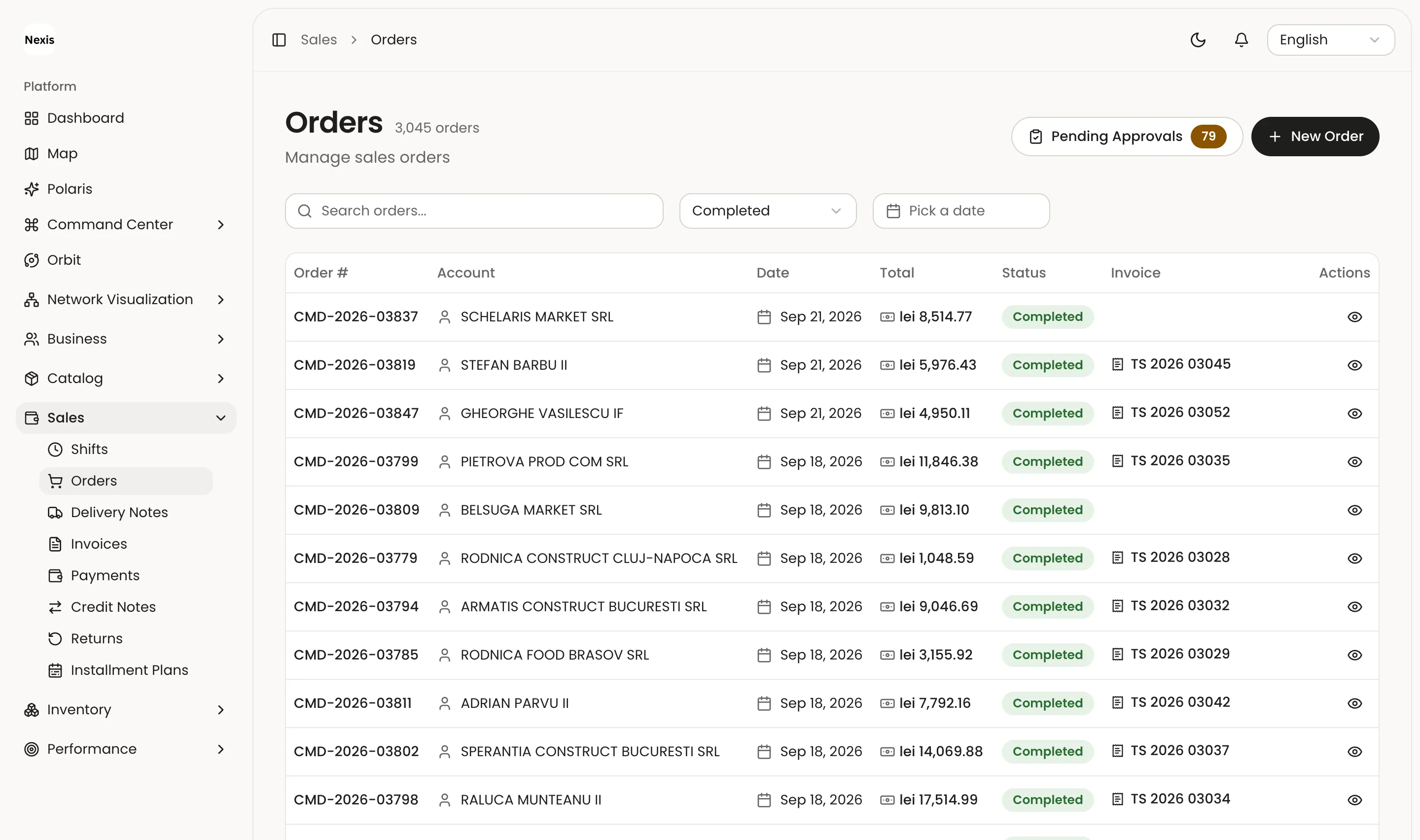
Your team’s orders, in the Nexis app. The data in the picture is for demonstration.
On site, on your phone.
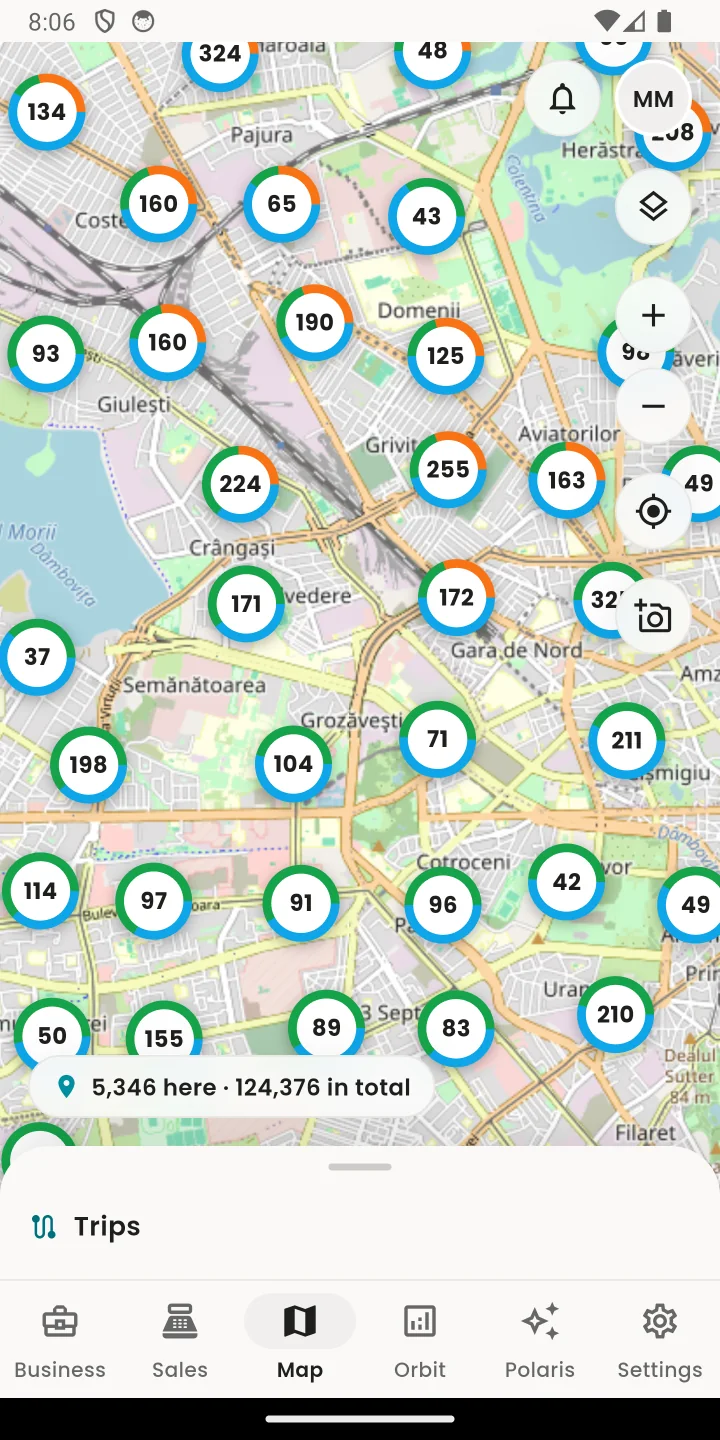
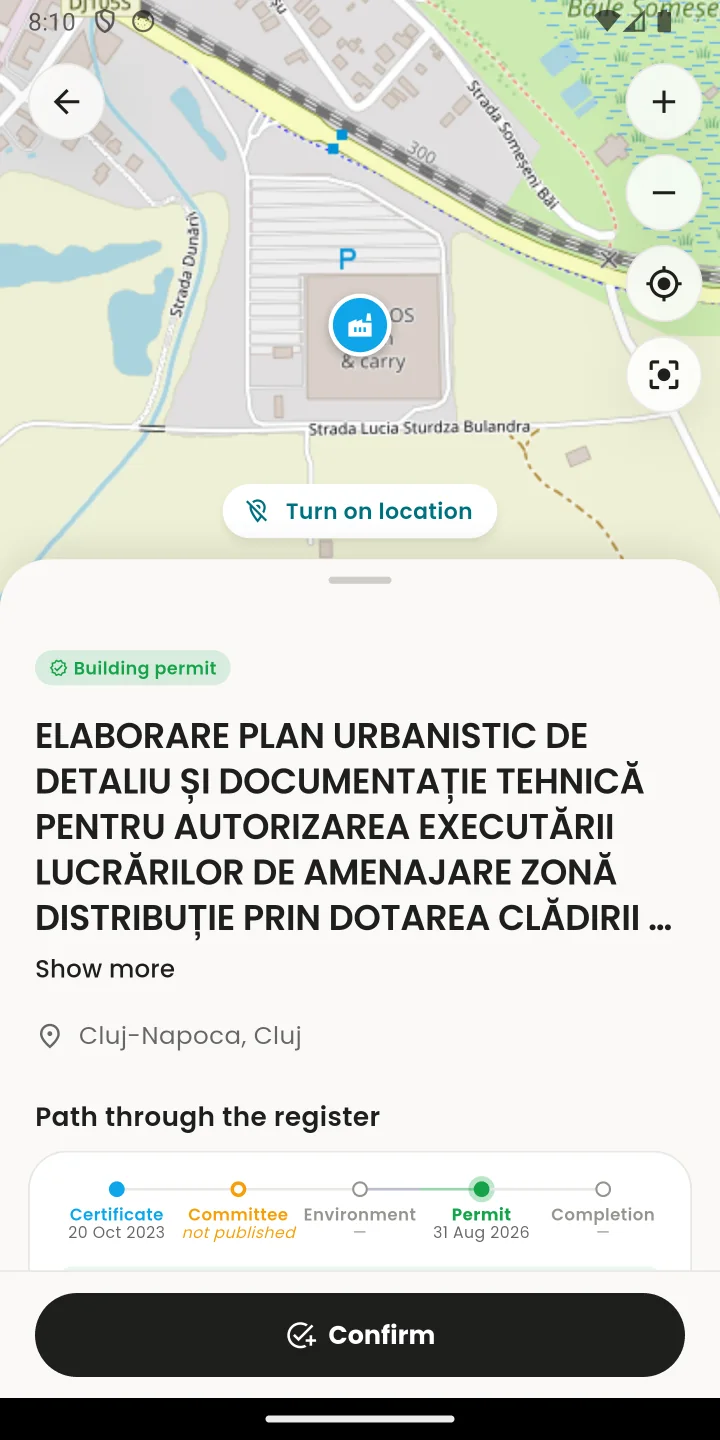
The Nexis Sales app shows you the construction sites around you, with their projects and companies. Whatever is within 300 m of you opens in full. One account, on iPhone and Android.

The stage tells you when to call.
Every building goes through the same acts, in the same order. Pick what you sell, and Nexis shows you the sites that need you now.
-
Planning certificate
The owner learns what may be built.
Who sells now
- Architects
- Surveyors
- Geotechnics
- Financing
-
Planning commission
The project goes before the town's or the county's commission.
Who sells now
- Designers
- Developers
- Consultants
-
Environmental decision
For large projects: halls, factories, parks, roads.
Who sells now
- Builders
- Steel halls
- Machinery
-
Building permit
The works may begin.
Who sells now
- Excavation
- Concrete
- Rebar
- Masonry
- Scaffolding
-
On site
The structure, the roof, the installations, then the finishes.
Who sells now
- Roofing
- Windows
- Installations
- Solar
- Finishes
-
Handover
The building is finished and somebody moves in.
Who sells now
- Furniture
- Appliances
- Security
- Cleaning
Sites for your trade: Building materials depots, PVC and aluminium windows, Installations and heat pumps, Roofing, Halls and steel structures, Architects and surveyors
New in the register.
All construction sites- Environmental screening New build: industrial Sibiu · Industrial hall · Industrial · Offices 16 Nov 2026
- Planning certificate New build: house Oradea, Bihor · House 6 Nov 2026
- Planning certificate New build: house Oradea, Bihor · House 6 Nov 2026
- Environmental screening Environmental screening Satchinez, Timiș · No building 6 Nov 2026
- Environmental screening Alteration Cornu Luncii, Suceava · No building 6 Nov 2026
What you see, with and without an account.
A free account opens the map and the sites near you. Full access opens everything, everywhere.
| What you see | No account | Free account | Full access |
|---|---|---|---|
| Every site, its stages and its acts | Yes | Yes | Yes |
| The map, with every site | — | Yes | Yes |
| The address, a firm beneficiary and the firms at the address | — | Within 300 m of the site | Everywhere |
| The declared value and surface | — | Within 300 m of the site | Everywhere |
| The whole map open | — | One day for every approved photo, up to 30 | Always |
| Private persons and their contact details | — | — | Yes |
| Filters by value and by firm | — | — | Yes |
| Your team in Nexis Sales: visits, orders, routes | — | — | Yes |
| See the sites | Create a free account | Ask for an offer |
Frequently asked questions
Another question? Write to us.
Where does the data come from?
From the public registers: the town halls' planning certificates and building permits, the planning commissions' opinions and the environmental protection agencies' decisions. We read them every day.
How do I open the whole map with a free account?
Send a photo of a site you see from the app. Once it is approved, you get the whole map for a day. The days add up, to 30.
What happens to people's names?
They do not appear on the public pages or in the free account. Only full access sees them, where the public acts name them.
How often is it updated?
Every day. Each act carries the day it was issued and the day it reached the register.
Can I use Nexis on my phone?
Yes. The Nexis Sales app, for iPhone and Android, shows you the map, where you are and the sites around you. With the same account.
See the construction sites in your county.
A free account shows you every site on the map, and opens the ones near you in full.